How to Set the First Day of the Week in the TuCalendi Widget
This tutorial explains how to configure the first day of the week displayed in the TuCalendi Widget calendar. This option is managed through a theme template and allows you to adapt the widget's display to your users' regional standards.
The "Week starts with" field lets you choose between two options: Monday or Sunday. The correct choice depends on the country or region the widget is intended for, since in some markets the week starts on Monday and in others on Sunday.
Before You Begin
To follow this tutorial, you must go to the widget’s Appearance section and either have an appearance template ready to edit or create a new one. The complete process for creating and assigning templates is explained in the general tutorial on how to create and assign an appearance template for the TuCalendi widget.
Step 1. Access the widget’s appearance
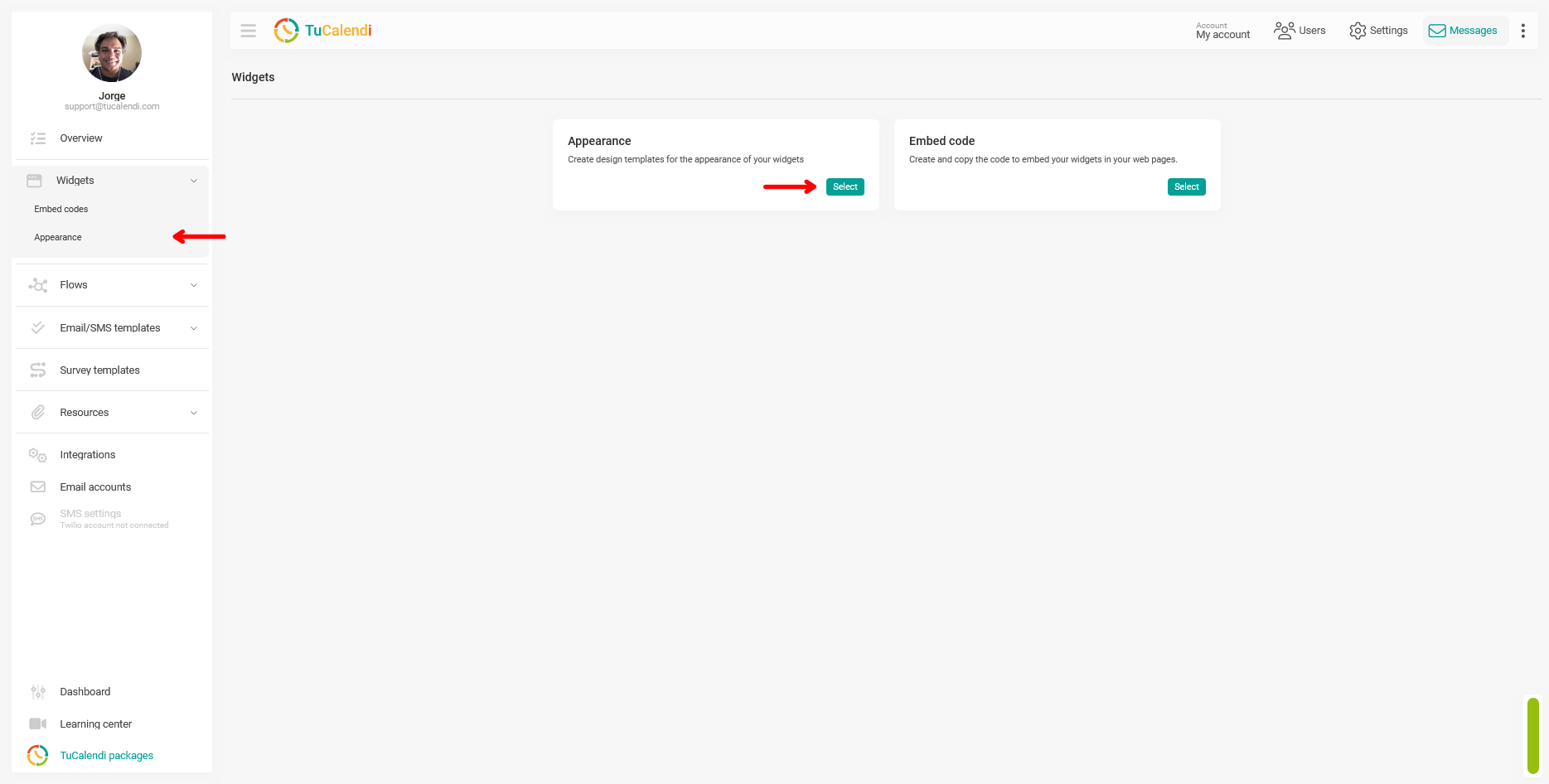
From the TuCalendi side menu, go to the “Widgets” section and select the “Appearance” option.
Step 2. Create or edit a theme template
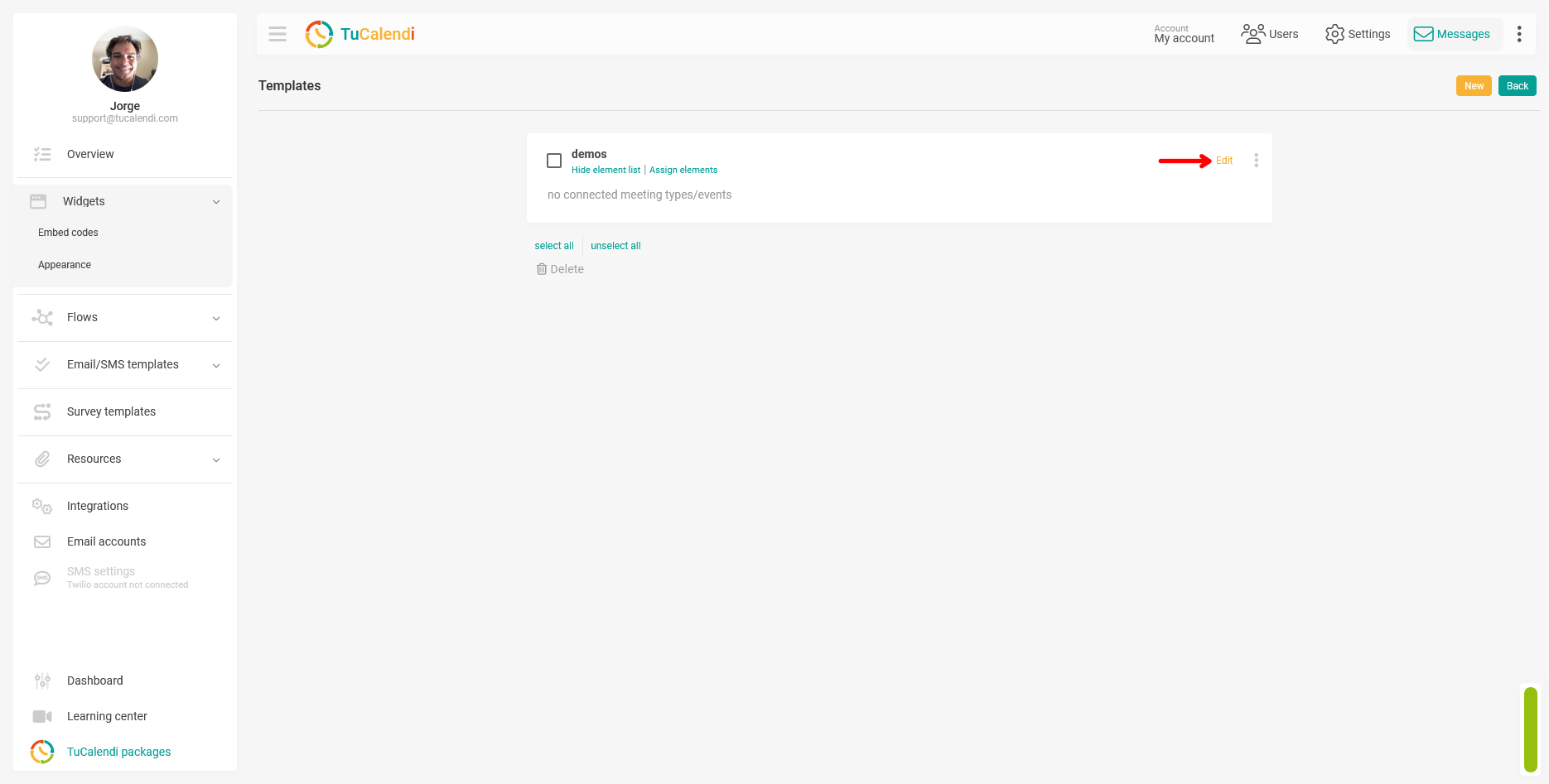
Within the Appearance section, create a new template or edit an existing one by clicking “Edit.”
Step 3. Locate and modify the “Week starts on” field
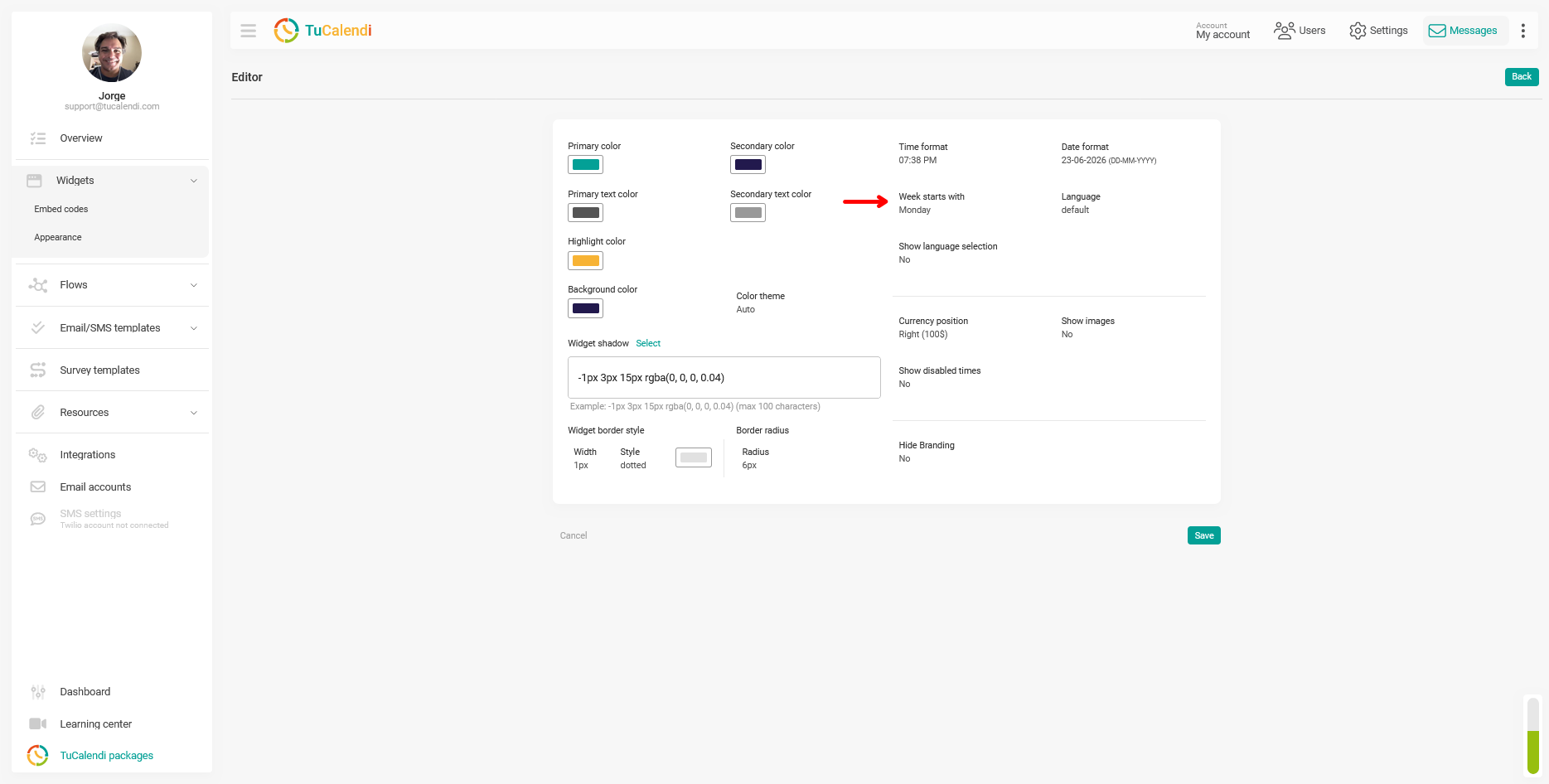
In the template editor, locate the "Week starts with" field. This field is located in the center-right area of the customization panel, next to the time format and date format options.
Click the field to select the day the week should start on in the widget: Monday or Sunday.
The screenshot below shows exactly where the “Week starts with” field is located within the appearance editor.
Step 4. Save the changes
After selecting the day the week starts on, click “Save” to apply the settings to the theme template.
Step 5. Check the element assignment
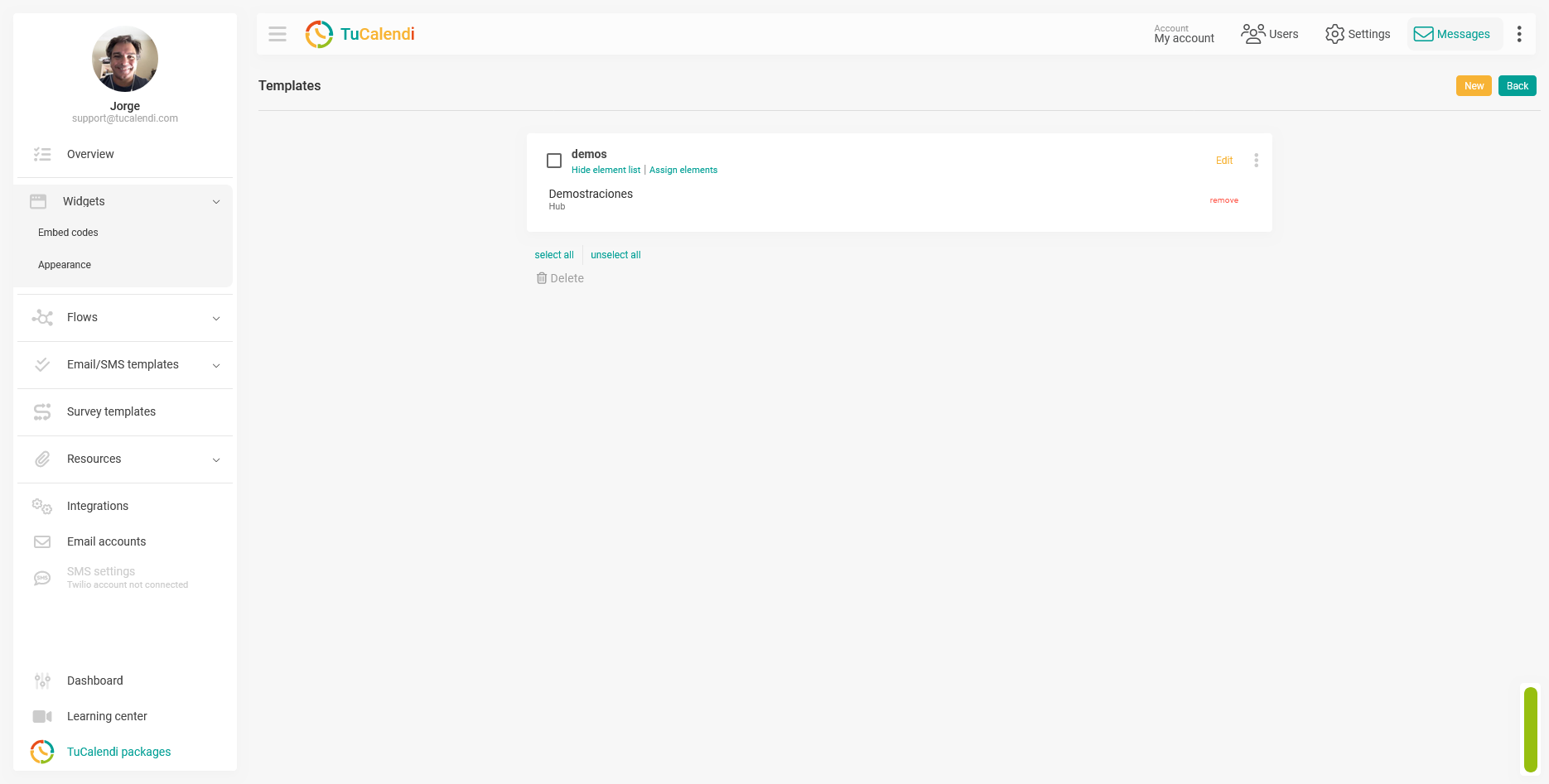
Once the template is saved, verify that it is assigned to the corresponding hub or survey with routing. If the template is not assigned to any item, the change will not be reflected in any widget.
Process Summary
To configure the first day of the week in the widget, go to the widget’s appearance settings, create or edit a template, and locate the “Week starts with” field within the editor. Select Monday or Sunday depending on your users’ country or region, click “Save” and verify that the template is assigned to the hub or survey where you want to apply the change.